
Process Designer
Your flowchart on paper, now a working system.
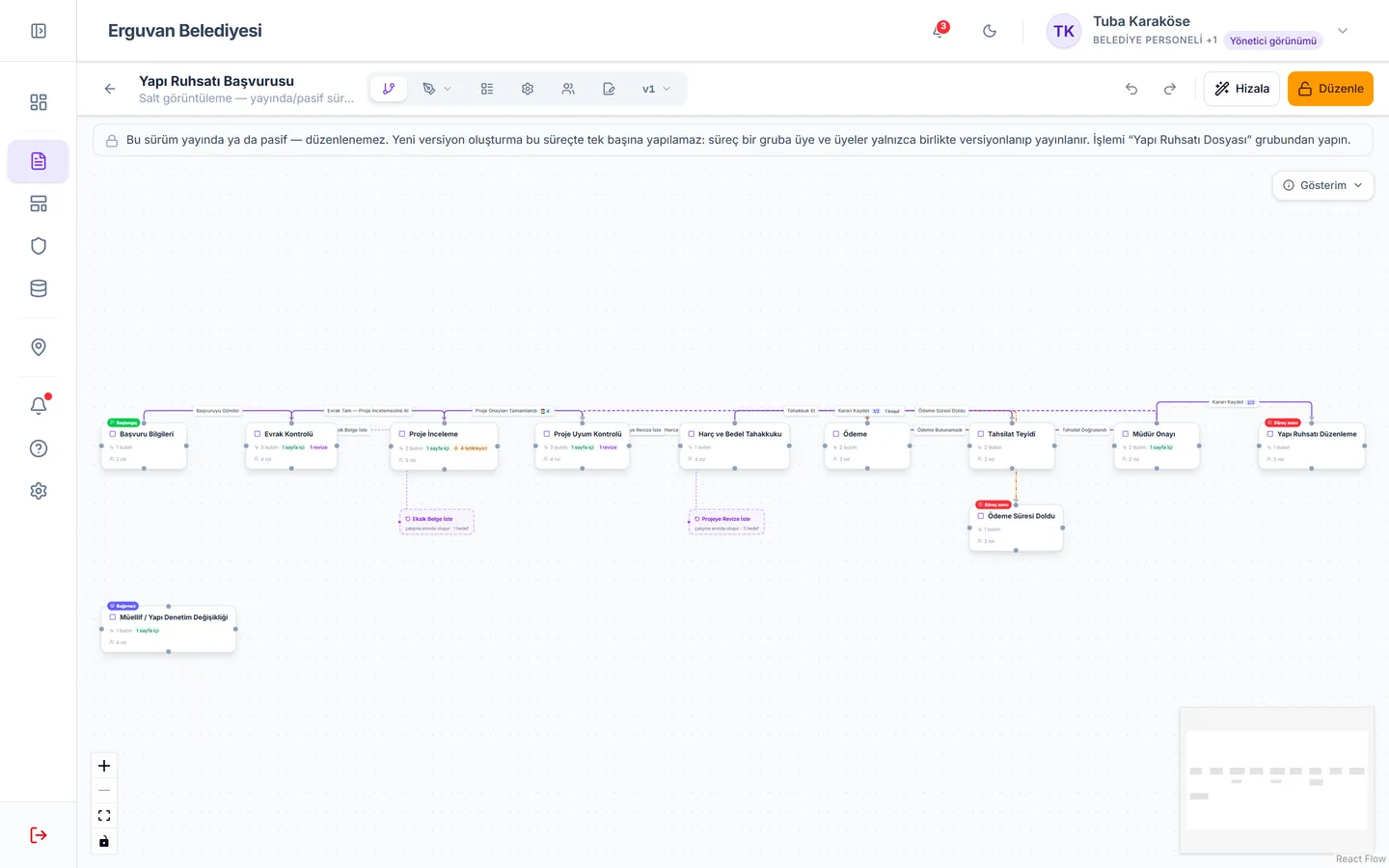
In the Elmar Process Designer every box you draw is a step, every arrow a button, every form field a piece of data. The moment you publish, your citizens, customers or employees can start applying.
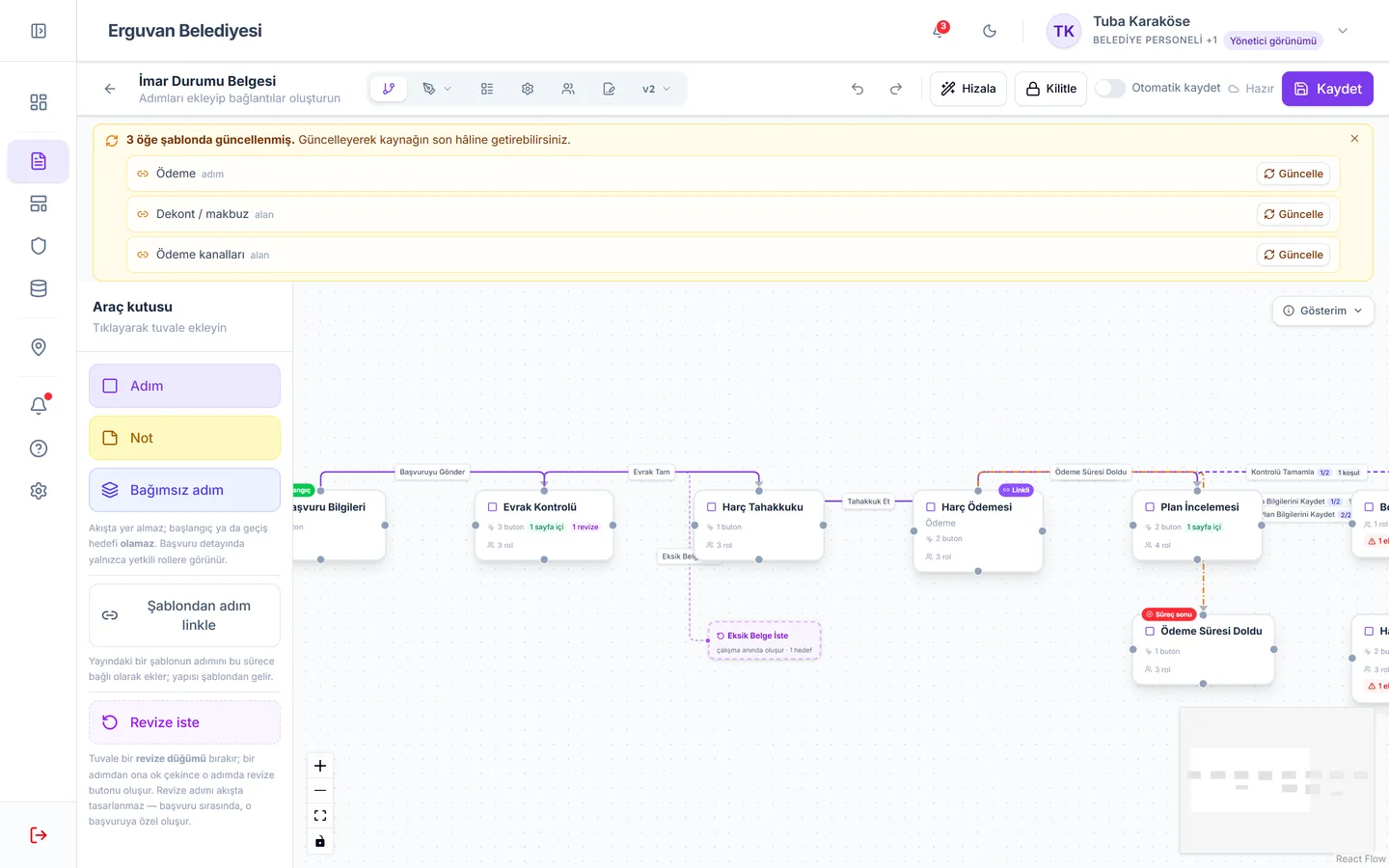
Canvas: build the process visually
Drop steps on the canvas and connect them with buttons. Approve, Reject, Send Back, Refer to Committee… You decide where each button leads, when it is visible and which fields it makes mandatory.
- Drag-and-drop steps and transitions
- Conditional transitions (amount, type, choice)
- Default transition and required fields
- Standalone steps outside the flow (director's note, field report)
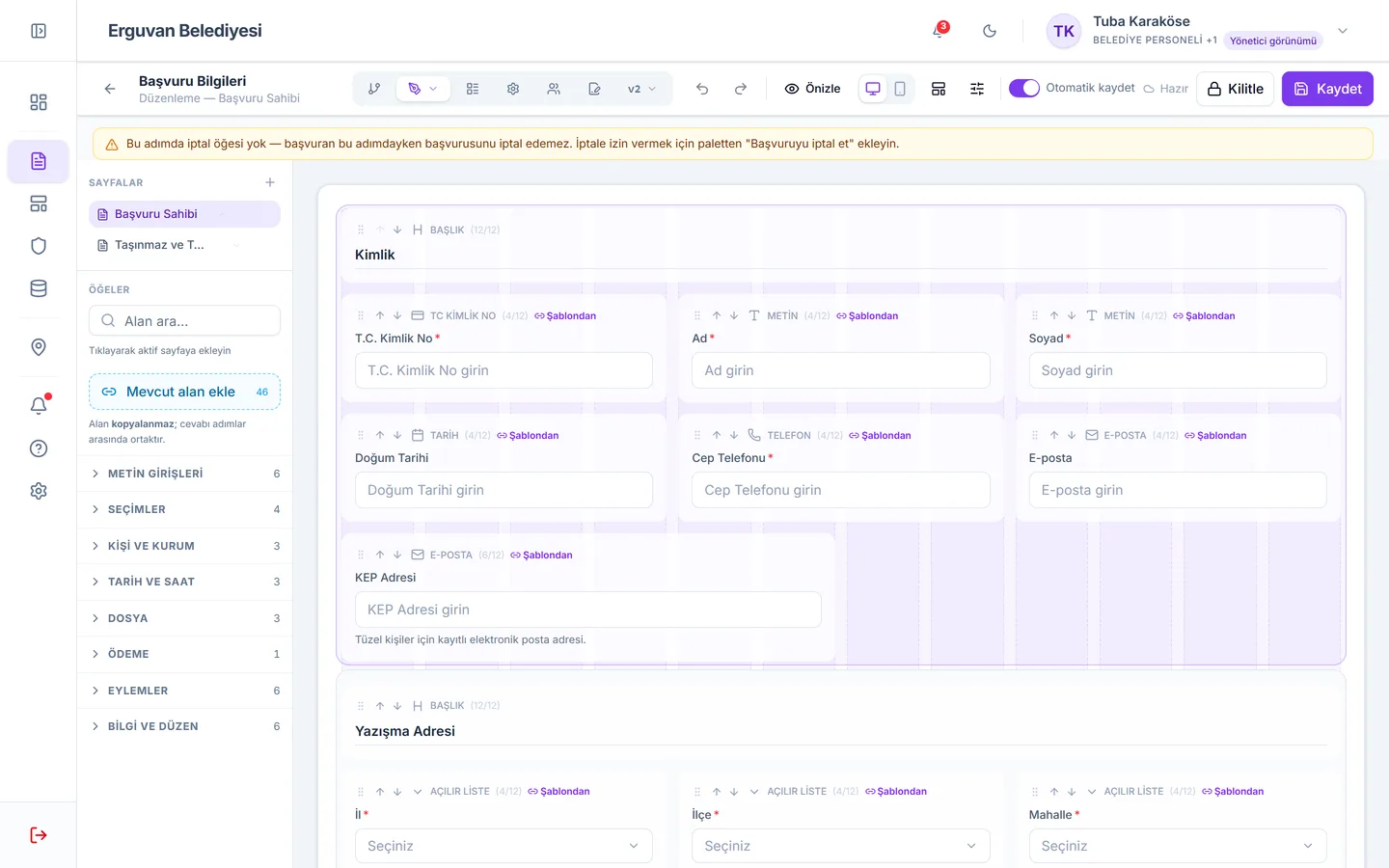
Forms: 24 field types, any layout
Text, number, national ID, phone, email, date and time, dropdown, multiple choice, file, image, signed document, fee assessment, person / role / organisation pickers; information fields with video, images and PDFs. Multi-page forms, section boxes, help texts.
- Conditional visibility and editability
- Cascading choices: province → district → neighbourhood → street
- Searchable dropdowns
- File type and size rules
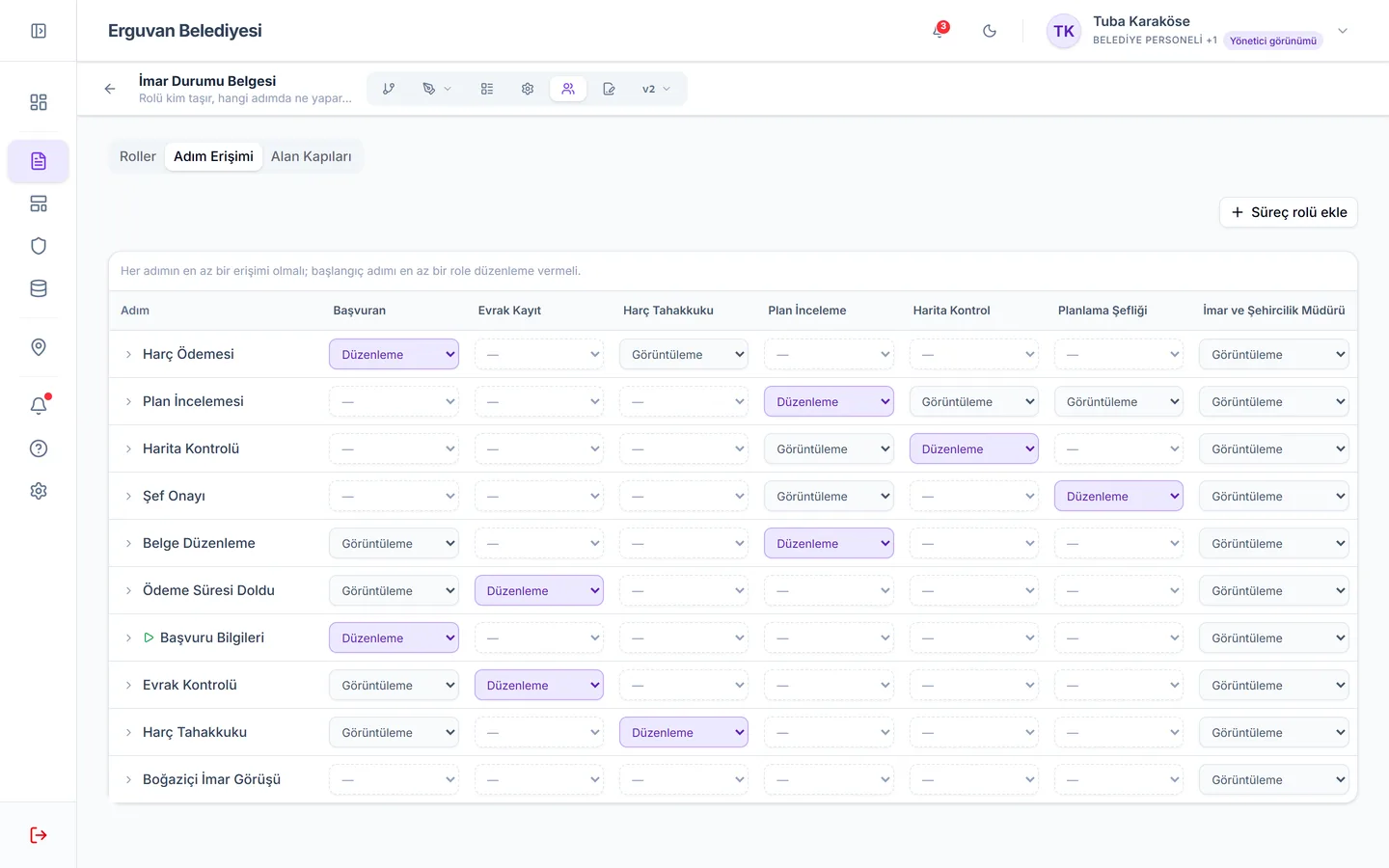
Permissions: who, what, when
Use the role × step matrix to decide who edits and who only views at each step. With read gates, make a field visible only after a given step; with deferred access, tie a role's write permission to a stage of the process.
- Role × step access matrix
- Field-level read gates
- Deferred access
- Dynamic assignee chosen on the form
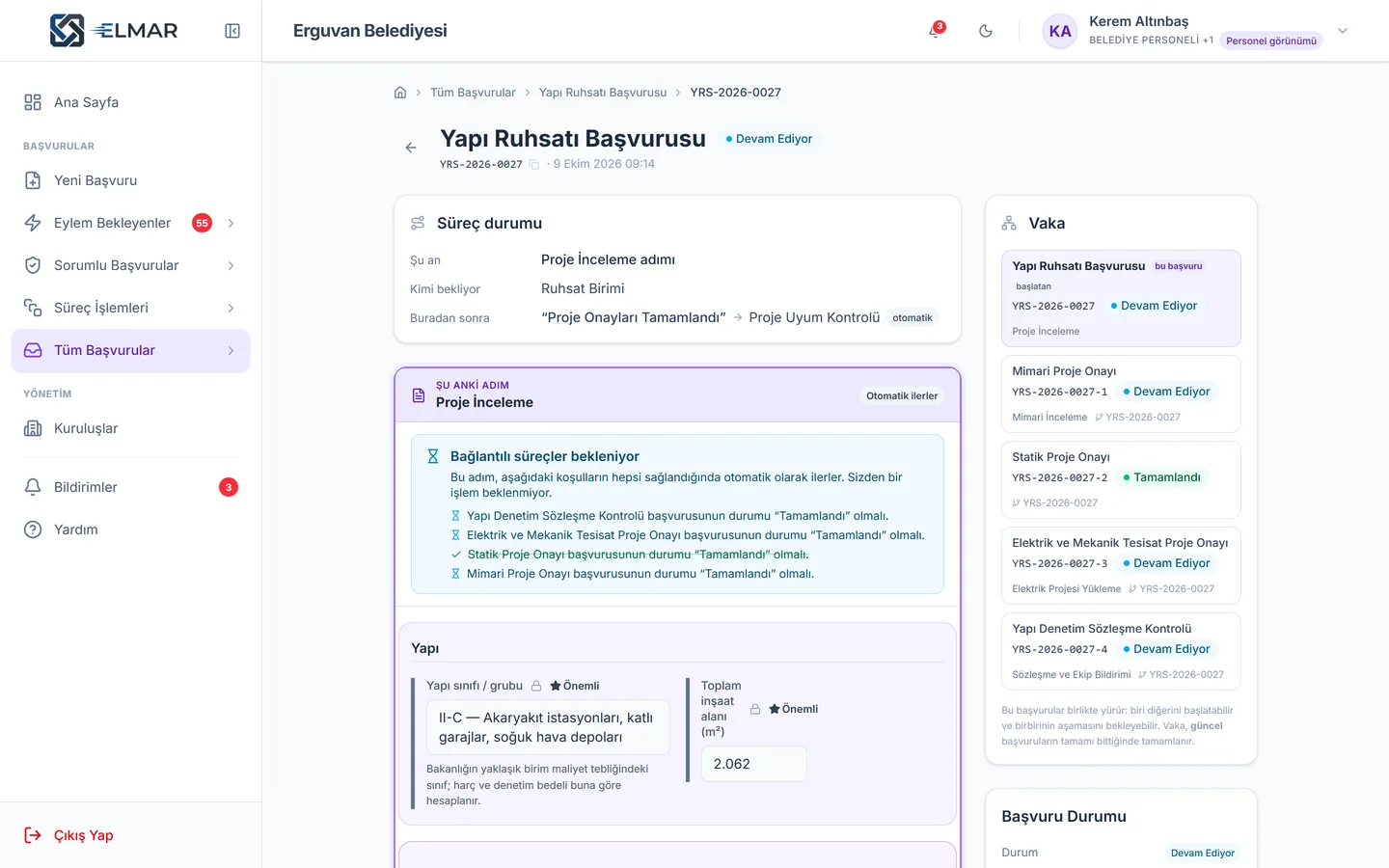
Linked processes: files that know each other
An application can start other processes, wait for them and share answers with them. The four project approvals of a building permit run in parallel; if one asks for corrections, only that file goes back while the others carry on.
- Conditional / unconditional triggers
- Waiting for sibling processes
- Shared answers
- Cross-process corrections
Automation: when time runs out, the process acts
Bind a statutory deadline to a button: 15 working days for information requests, 30 days for implied approval. When the deadline passes, the transition you defined runs automatically; periodic retries wait for responses from external systems.
- Timeout transitions
- Periodic automatic retries
- External system integration
- Reminders and notifications
Document templates: official letters, automatically
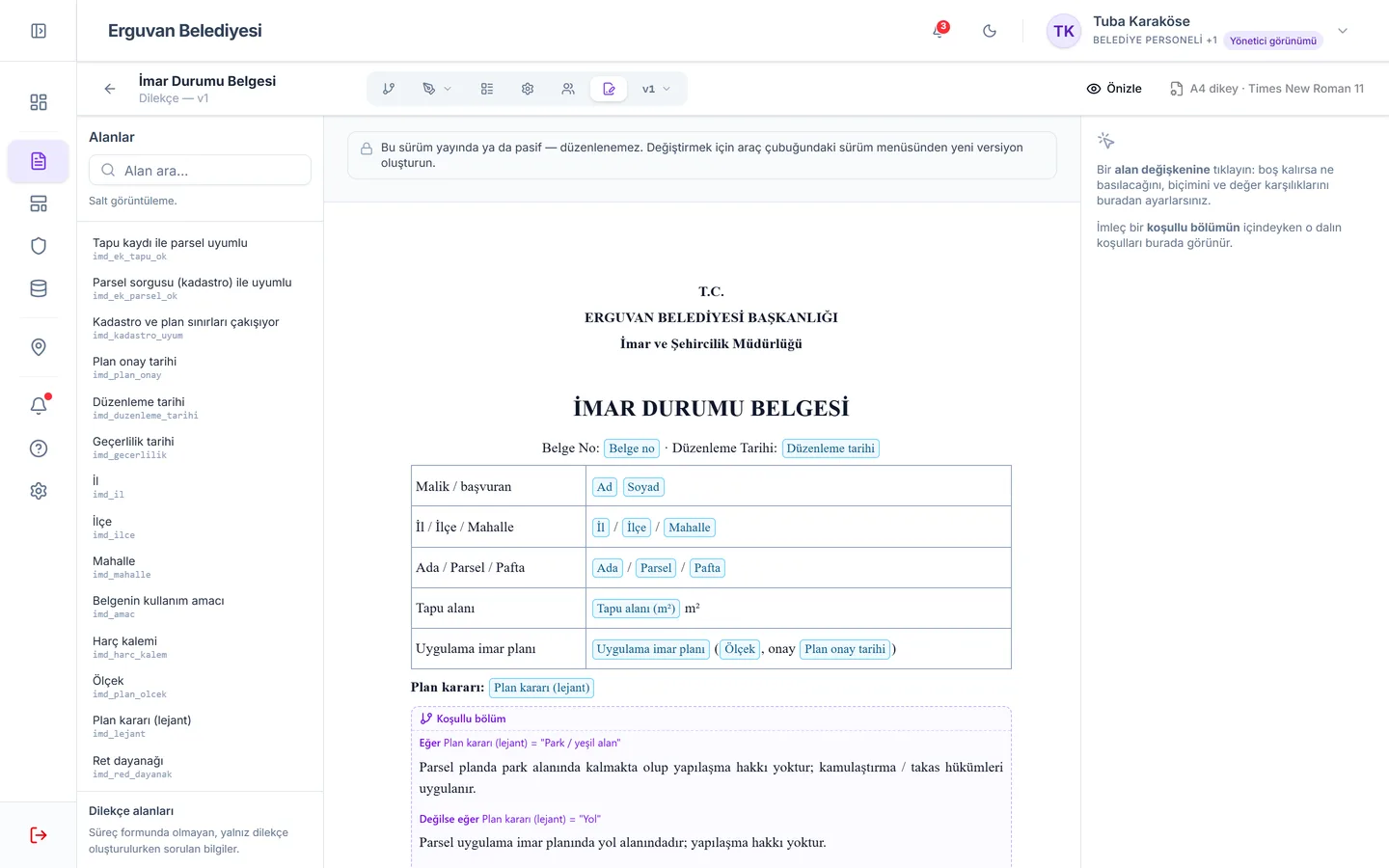
Permits, zoning certificates, rejection letters, notices… Design the template once in the A4 document editor; answers from the application drop into place and conditional sections (if / else) appear as needed. Documents are produced as PDF and Word and attached to the application.
- A4 document editor
- Variables filled with answers
- Conditional sections
- PDF and Word output
Templates: build once, use everywhere
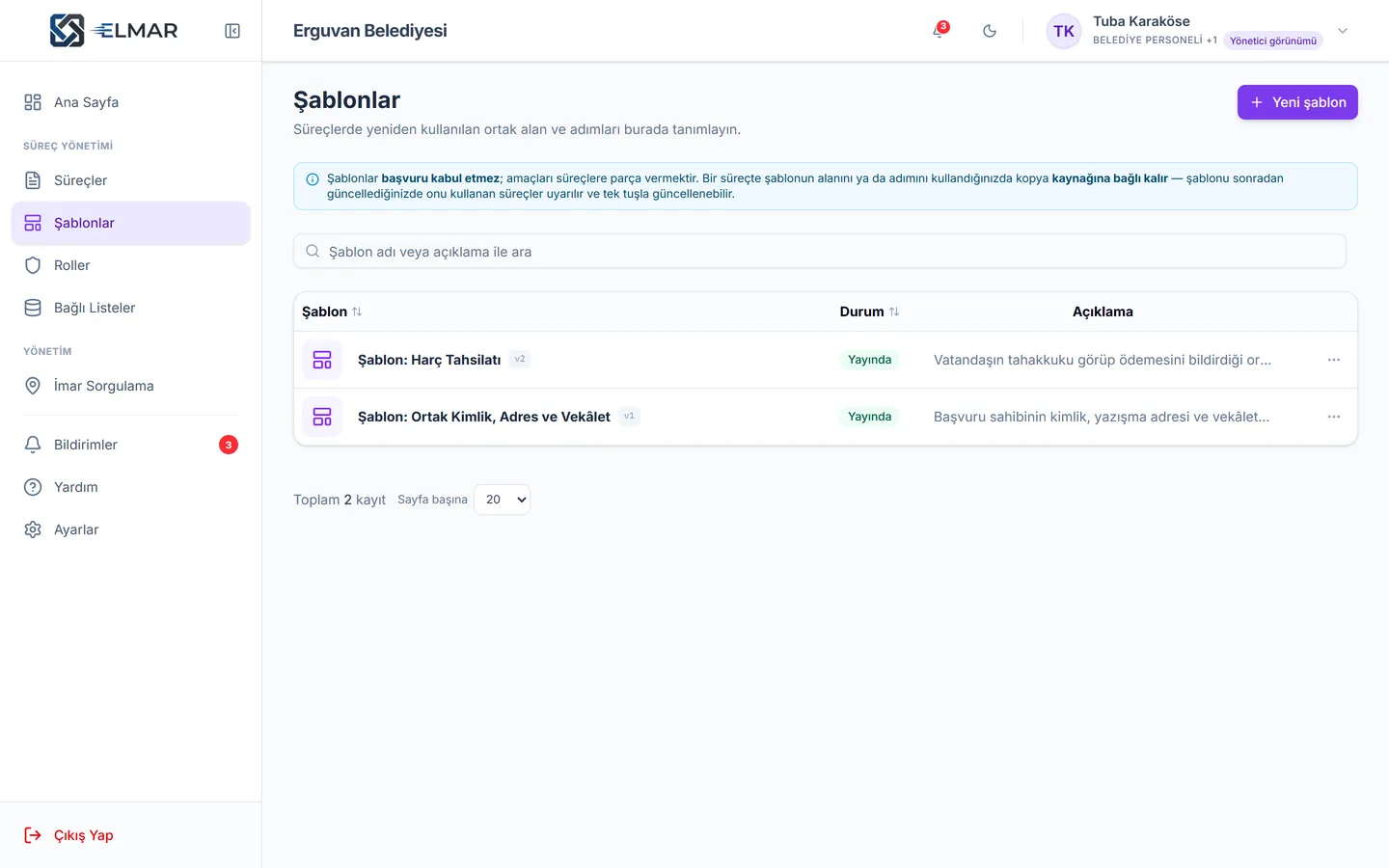
Build shared building blocks — identity, address and power of attorney details, or a fee collection step — as templates and link them to processes. When a template changes, Elmar shows which processes are lagging behind.
- Shared field templates
- Shared steps
- Drift tracking
- Process import / export
Versions and publishing: go live safely
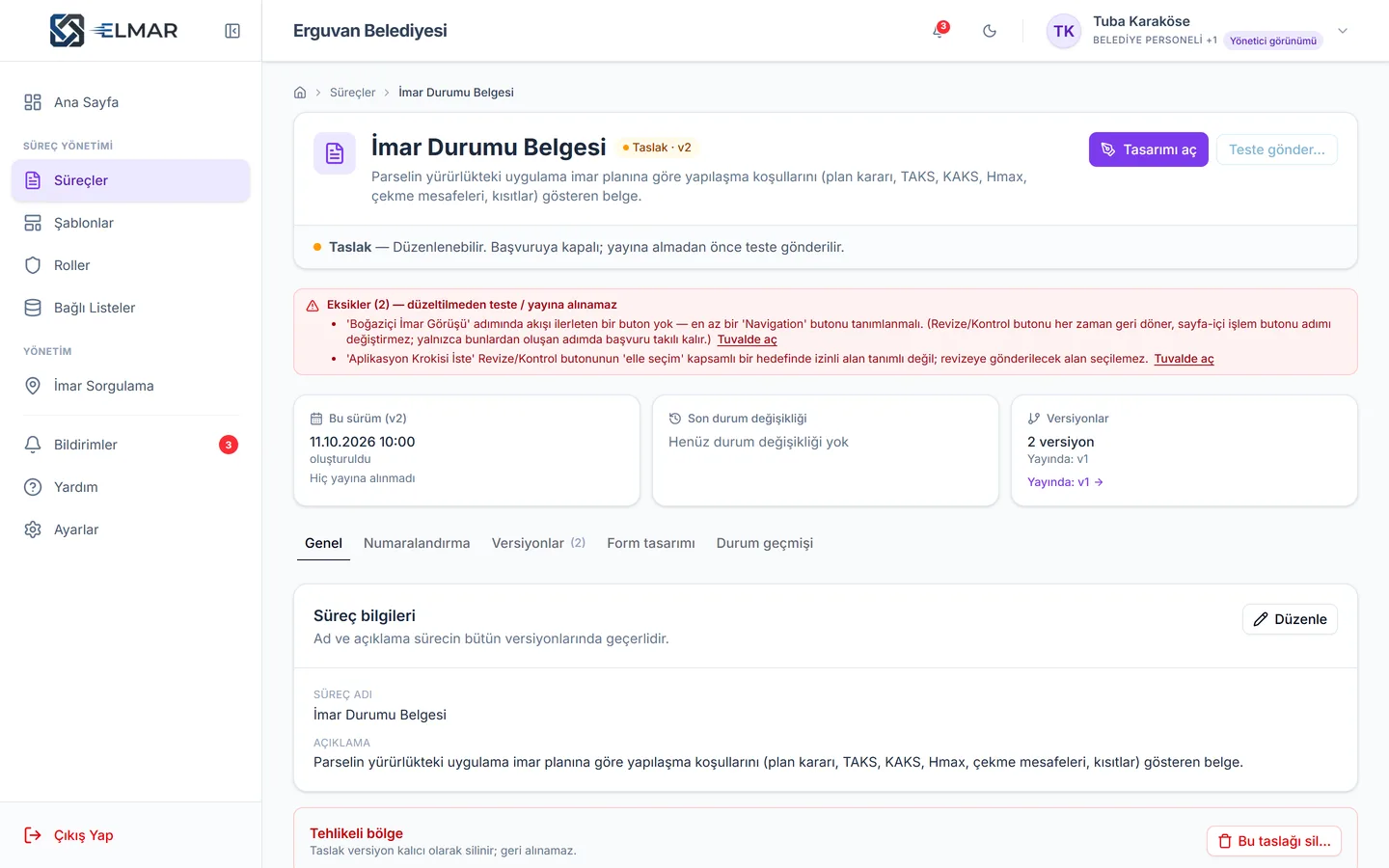
Each process moves through Draft, Test, Published and Passive; only one version is published at a time. The pre-publish check lists every gap — unassigned step, unconnected button, empty form, missing document template — and clicking an item takes you straight to the right place.
- Draft → Test → Published → Passive
- Pre-publish issue list
- Ongoing applications finish on the old version
- Application number masks
License the designer and build your own processes.
With Elmar Studio your team builds any process itself, with training and certification. If you like, we build your first processes together and then hand over.
Let's digitise your processes together.
Let us show you your most complex process running in Elmar — in a 45-minute demo built on your own regulations, documents and approval chain.