
Every application and approval process in your organisation — no code, one platform.
From building permits to purchase approvals, draw any process on a canvas, build its form, assign permissions and publish it the same day. Applicants apply online, your team approves from a single screen and the official document is generated automatically.
- On-premise deployment
- Data protection compliant
- e-Government sign-in
- 24/7 support
Every organisation works differently. Elmar fits them all.
One platform carries a municipality's permit file, a company's purchase approval and a university's document request alike.
From zoning and permits to social services — every department under one roof
Building permits, occupancy permits, zoning certificates, business licences, marriages, freedom-of-information requests, municipal police complaints, social aid… Citizens apply from home, architects and building inspection firms work on the same file, statutory deadlines run by themselves.
- Building Permit
- Occupancy Permit
- Business Opening Licence
- Zoning Certificate
- Excavation Permit
- Social Aid
Process Designer
Draw the process. Elmar runs it.
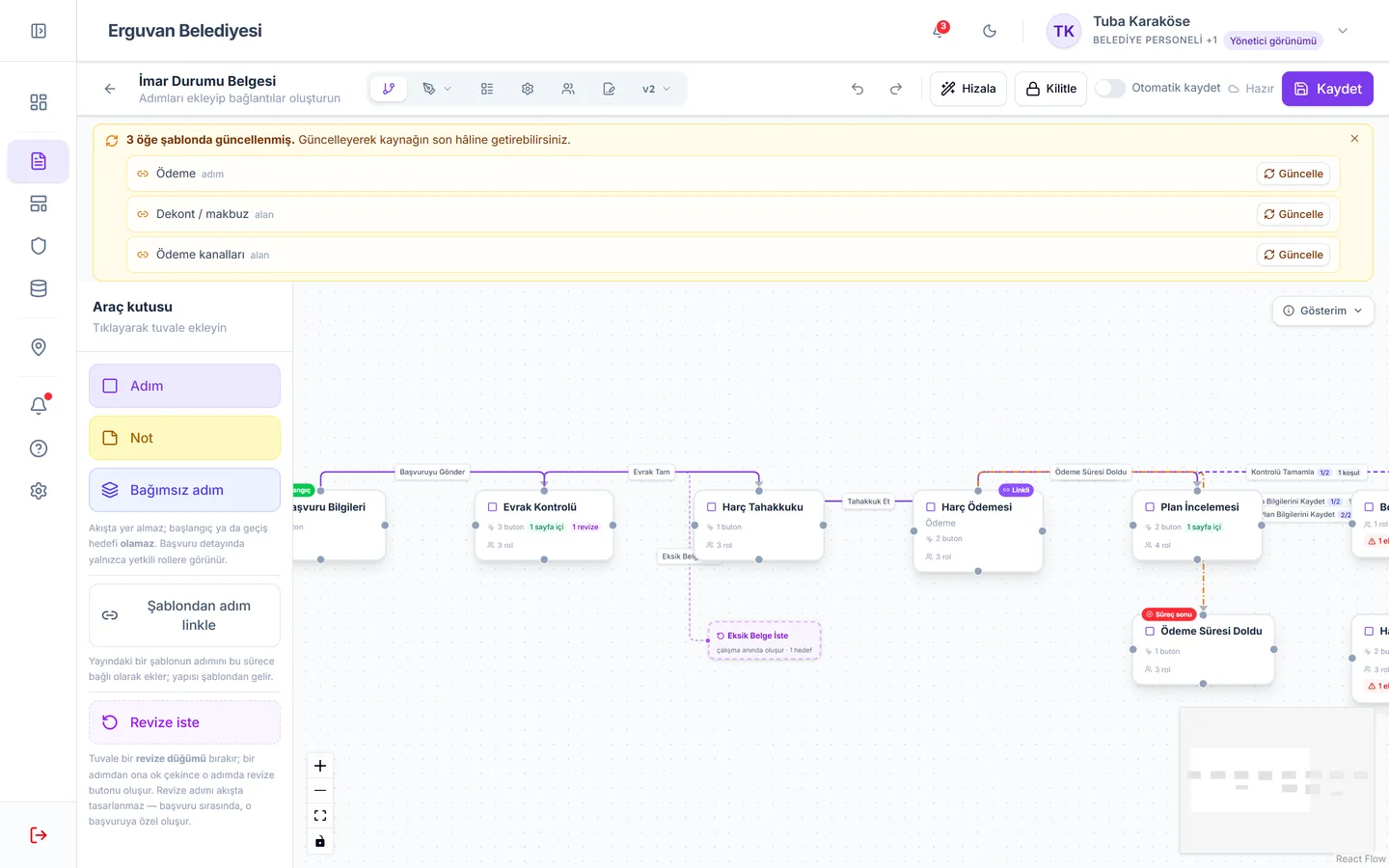
Drop steps on the canvas, connect them with buttons, define each step's form and permissions. What you design is not a diagram — it is a working process.
1. Draw
Drag and drop steps; connect them with Approve, Reject and Send Back buttons.
2. Build the form
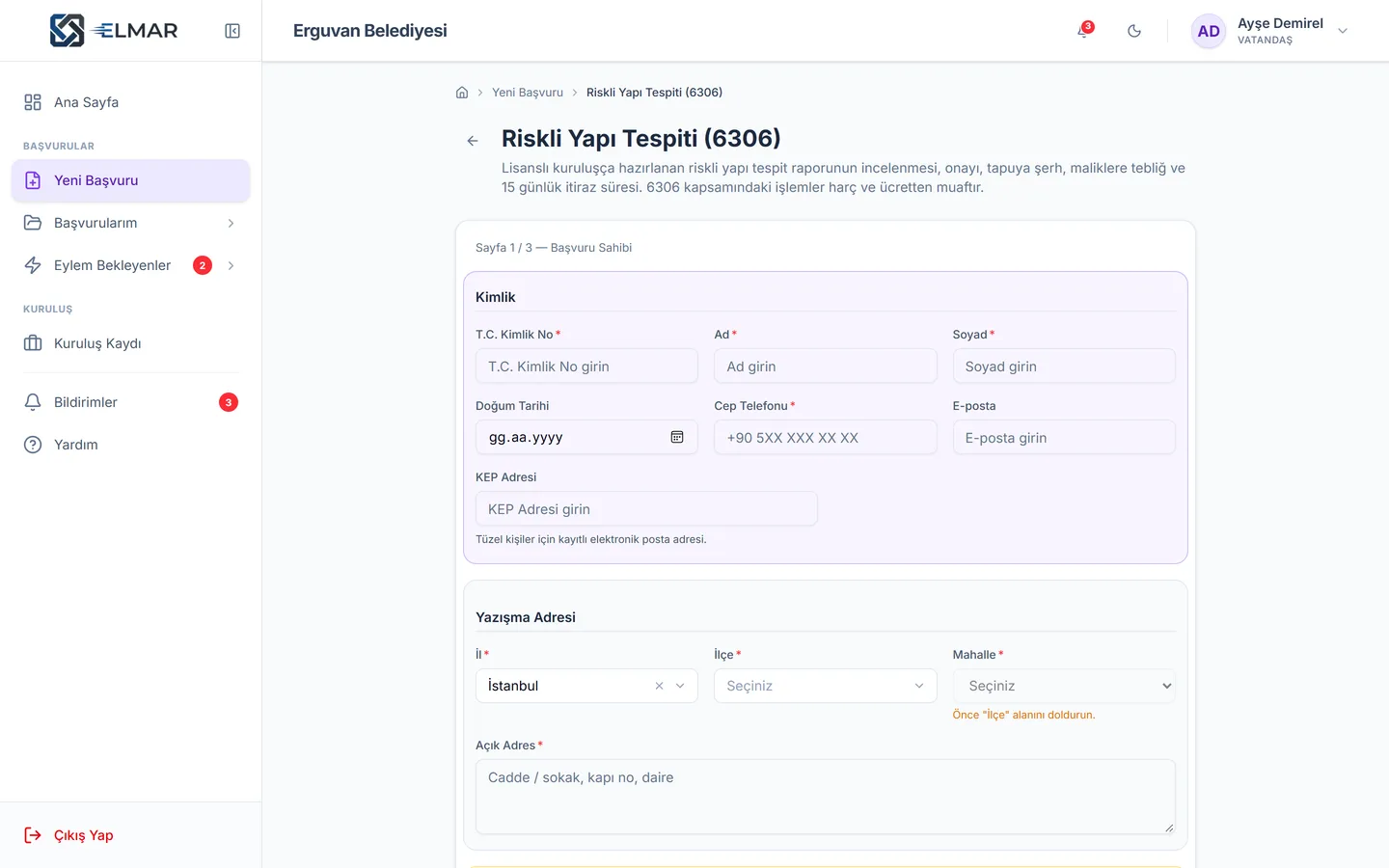
24 field types, multi-page forms, conditional fields and cascading choices such as province → district → neighbourhood.
3. Set permissions
Who sees and who edits what at each step — at field, role and step level.
4. Publish
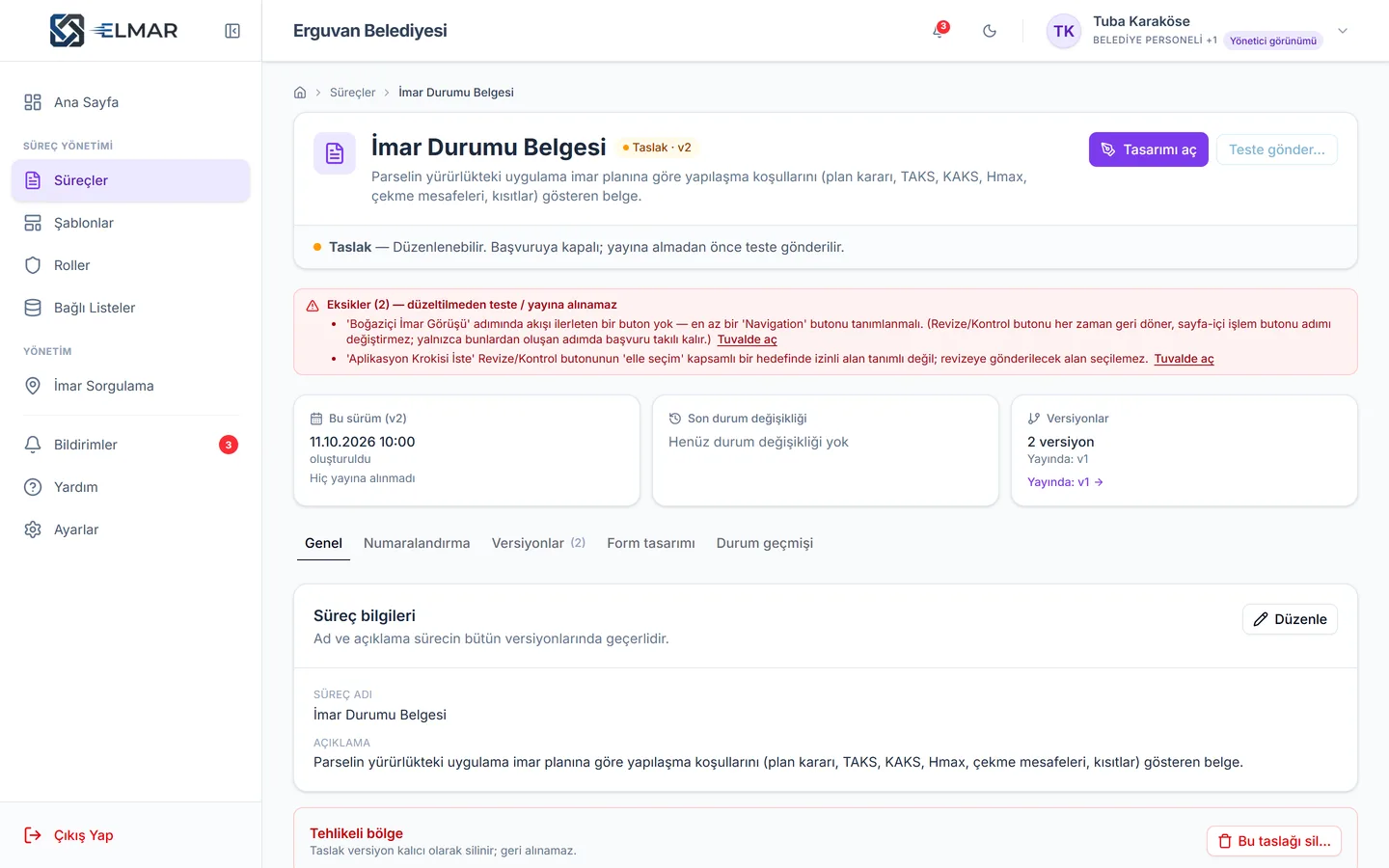
The pre-publish check lists every gap; the process goes live safely and every change becomes a new version.
For municipalities
Zoning and permit files, finally on one screen
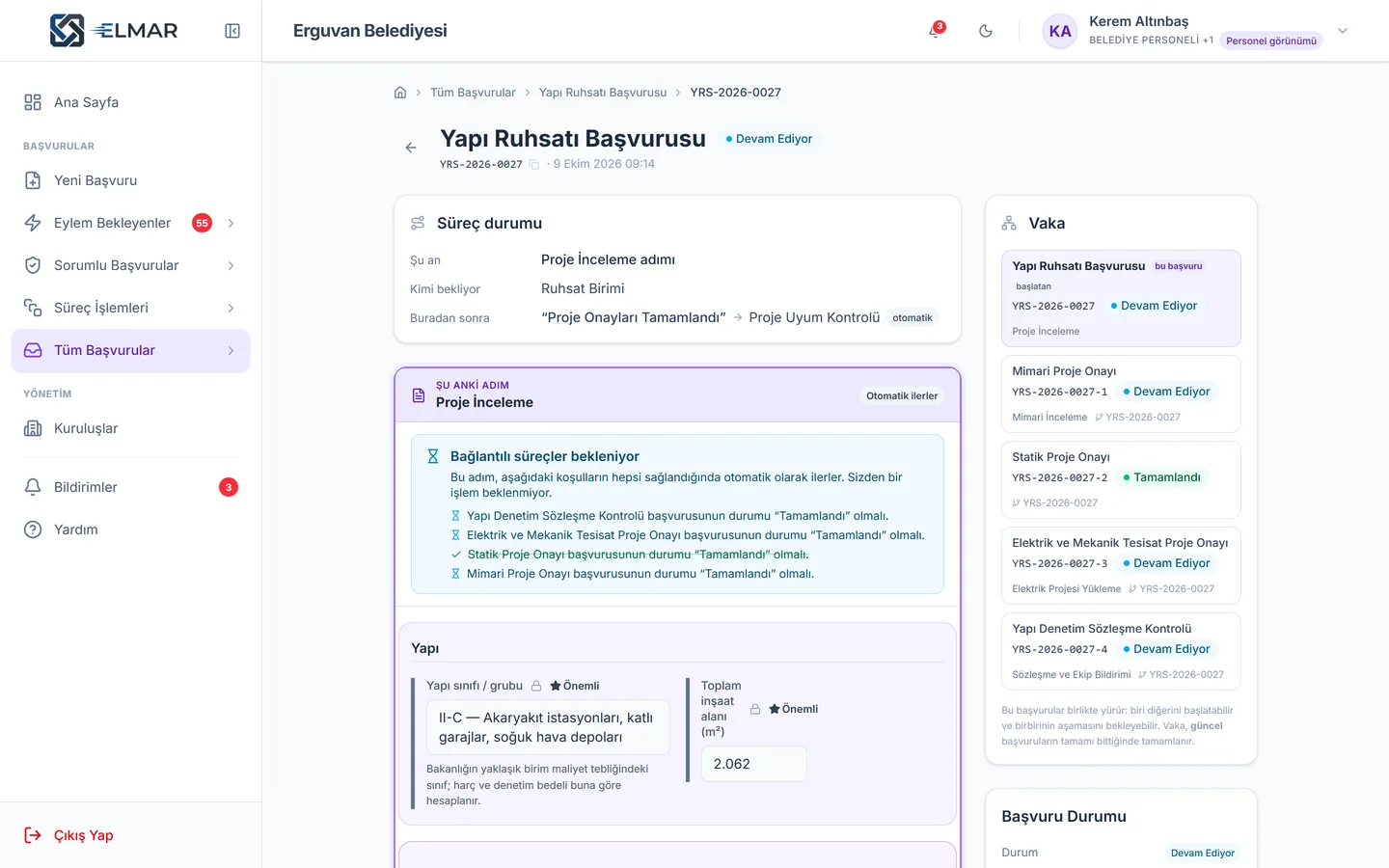
We built the building permit — a municipality's most complex file — end to end in Elmar: architectural, structural, electrical and mechanical project approvals run in parallel, the building inspection contract is attached to the same file, fees are assessed and the permit is generated automatically.
Building Permit
Project approvals run in parallel as linked processes; if one asks for corrections, only that project goes back.
Occupancy Permit
Permit file, inspection reports and agency opinions in one flow; missing documents go back to the applicant with the reason.
Business Opening Licence
The declaration-based licence is issued immediately; the inspection step due within a month opens by itself.
Zoning Certificate
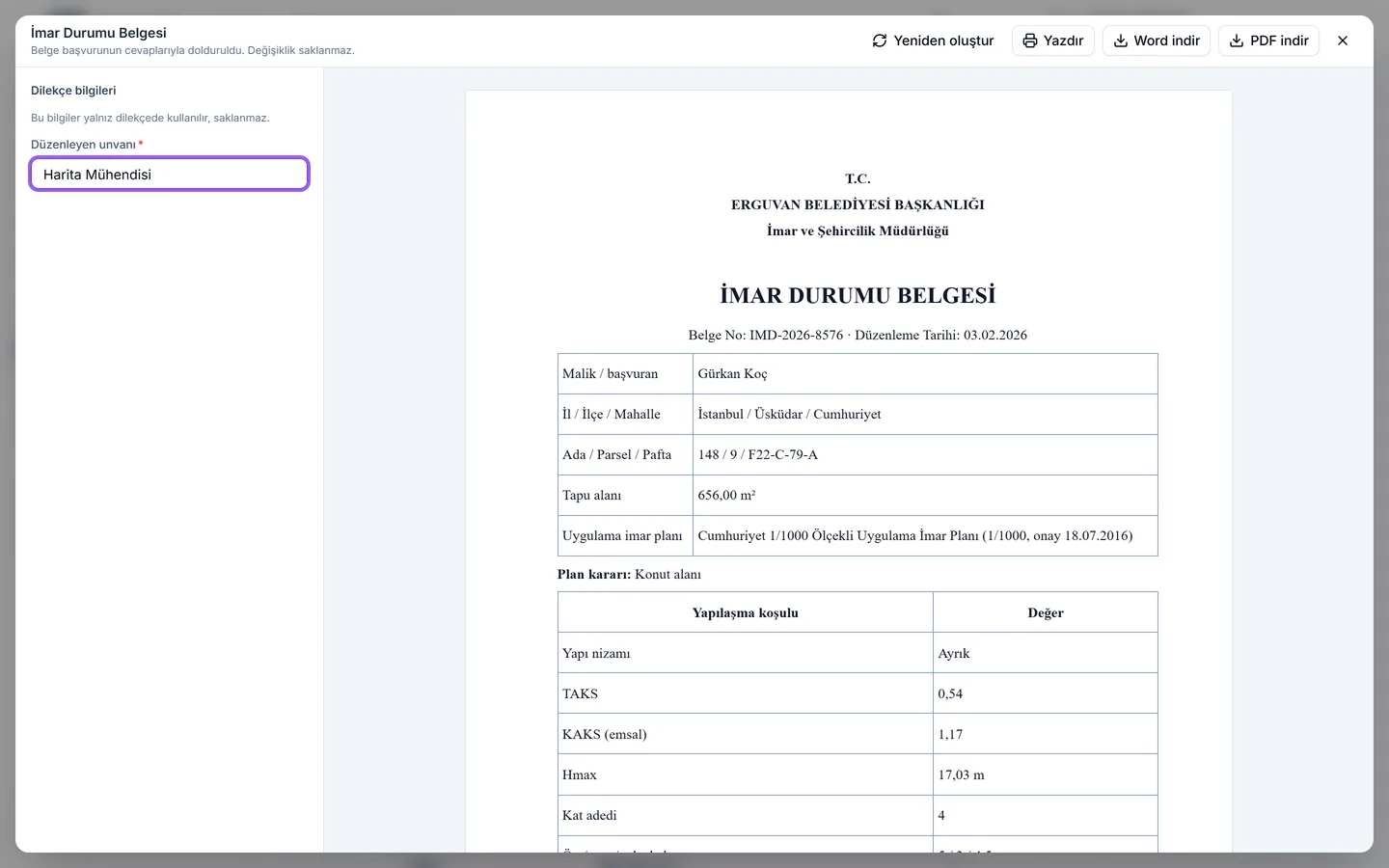
Parcel lookup, zoning plan data and the official zoning certificate in a single application.
From application to document in four steps
- 1
Design
Build the process and its form on the canvas — start from the library or from scratch.
- 2
Publish
The pre-publish check lists the gaps; the process goes live with a version number.
- 3
Apply
Applicants sign in with e-Government, fill in the form and upload documents; a file number is issued instantly.
- 4
Approve and issue
Staff approve the work waiting on their screen; the official document is generated with the answers.
Much more than a form builder
A real process engine: steps, roles, deadlines, documents and linked files.
Visual process design
Drag-and-drop canvas; steps, buttons, conditional transitions.
Smart forms
24 field types, conditional visibility, cascading choices, multiple pages.
Linked processes
One application starts, waits for and shares answers with another.
Fine-grained permissions
Viewing and editing rules at field × role × step level.
Statutory deadlines
Steps act automatically when time runs out; implied approval, reminders.
Official documents
Permits, rejection letters, notices — templates filled with the answers.
Organisations
Architects, inspection firms, contractors — external actors on the same file.
Versions and safe publishing
Every change is a new version; ongoing applications finish on their own version.
Work tracking and reports
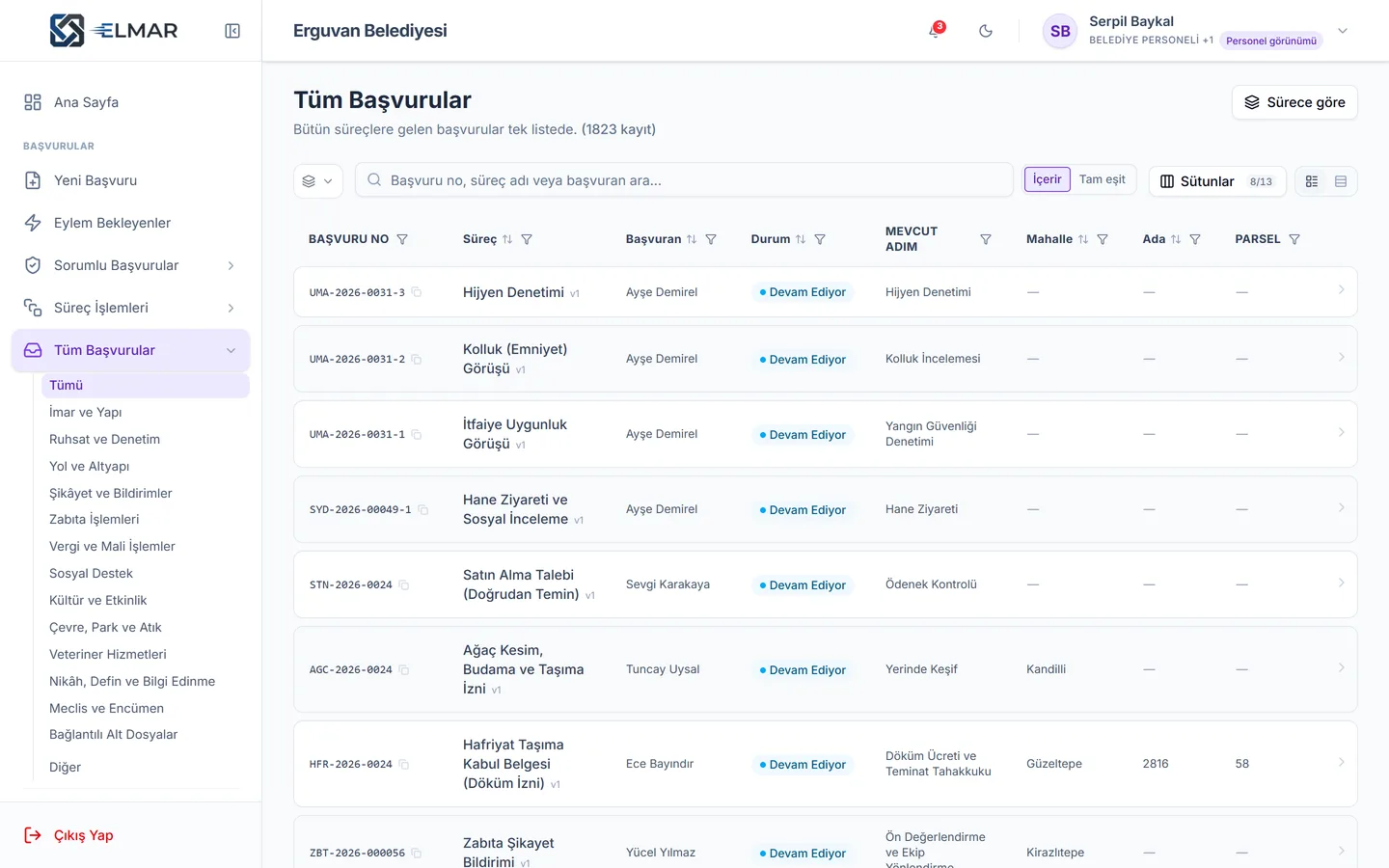
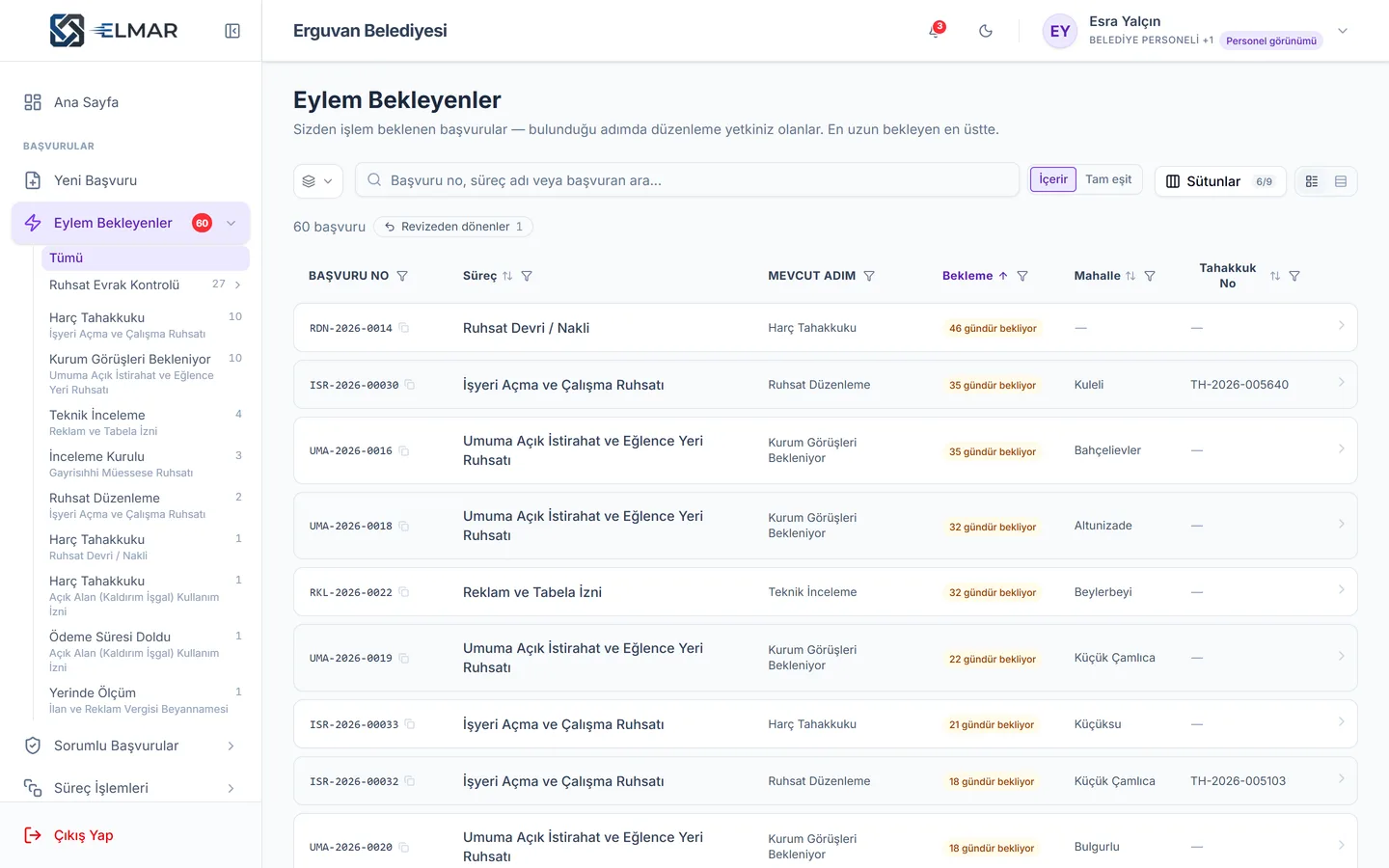
Pending actions, bulk processing, filtered lists, Excel export, dashboards.
Notifications
In-app and email notifications for whoever's turn it is.
e-Government sign-in
Citizens apply with a verified identity in one click.
On-premise deployment
On your own servers; SQL Server, PostgreSQL or SQLite.
Why Elmar
What sets us apart
A process engine, not a form tool
Form tools collect data and leave it there. Elmar moves the file step by step: who approves, when the deadline runs out, which document is issued, which process is triggered.
No code, no limits
A municipality's most complex process — the building permit with four parallel project approvals, building inspection, fees and the permit document — was built in the designer without a single line of code.
Going live, safely
The pre-publish check catches unassigned steps, unconnected buttons and missing documents before publishing. When a process changes, ongoing applications complete on their original version.
Precise control over permissions
"The committee may see income details only after the home visit", "the director's note may be written only after approval" — these rules are settings, not software projects.
A head start that follows the law
55+ processes prepared according to Turkish regulations, with statutory deadlines, official document templates and real document checklists — ready from day one.
Your data, your control
On-premise deployment, three database options, no record is ever physically deleted and a complete audit trail.
Compare the options
Organisations digitising their processes usually choose one of four paths.
| Criterion | Elmar | Custom software | Generic form tools | Classic workflow / EDMS software |
|---|---|---|---|---|
| Launching a new process | Days | Months | Days | Weeks–months |
| Needs a developer to change? | ||||
| Multi-step approval and role-based permissions | ||||
| Visibility at field × role × step level | ||||
| Linked / parallel processes | ||||
| Statutory deadlines and automatic actions | ||||
| Official document (permit, letter) generation | ||||
| Versioning and pre-publish check | ||||
| Citizen / customer application portal | ||||
| e-Government, data protection, Turkish regulations | ||||
| On-premise deployment | ||||
| Ready-made process library |
Choose the path that fits you
Build your processes yourself, have us build them, or combine both. Support alongside every path.
Build your processes yourself
Elmar Studio
Platform and Process Designer licence. With training and certification, your team builds any process, whenever it wants.
- Process Designer
- Ready-made process library
- Designer training and certification
- Unlimited processes
Let us digitise your processes
Digital Transformation Service
We study your regulations and paperwork, design and build your processes, train your team and hand everything over turnkey.
- Process analysis
- Design and setup
- Data migration
- Go-live support
With you 24/7
Elmar Support
Your requests and issues are resolved 24/7. SLA-backed response times, updates, monitoring and process change support.
- 24/7 critical support
- SLA guarantee
- Version updates
- Dedicated support manager
55+
ready municipal processes
24
form field types
3
database options
24/7
support
Try Elmar
Don't just read about it — try it
No account, no installation: in four short chapters, design a process, build its form, publish it and approve the first application.
- 1
Design the process
Process Architect
- 2
Build the form
Form Master
- 3
Publish
Release Captain
- 4
Apply and approve
Digital Transformation Pioneer
The security public institutions expect
On-premise deployment
Your data never leaves your servers.
Data protection
Explicit consent, privacy notices, the right to be forgotten and access logs.
No hard deletes
No record is ever physically deleted; everything can be restored.
Audit trail
Who changed what, and when — every action is recorded.
Frequently asked questions
Do I need software skills to build a process?
No. Processes are built on the canvas with drag and drop, forms with ready-made field types. An expert who can use Excel can design processes after a short training. If you prefer, we build your processes for you with the Digital Transformation Service.
How long does it take to launch a new process?
A simple application process takes a day; a multi-department, linked process such as a building permit takes a few weeks. Starting from the ready-made library shortens this considerably.
Where does Elmar run? Cloud or on-premise?
Both. Elmar can be installed on your own servers, run in a domestic private cloud, or be operated by us as a managed service. SQL Server, PostgreSQL and SQLite are supported.
Does it integrate with our existing systems?
Yes. Integrations with accounting, e-municipality, ERP and directory (LDAP / Active Directory) systems can be built; linked lists can be fed from Excel or external services, and automatic buttons can wait for responses from external systems.
Is there e-Government sign-in?
Yes. Citizens sign in with a verified identity through the e-Government gateway; their identity details flow into the application form automatically.
How fast will we get a response if something goes wrong?
In the Critical 24/7 tier of Elmar Support, critical issues get a first response within 30 minutes; your requests and issues are resolved 24/7. All tiers are on the Support page.
Let's digitise your processes together.
Let us show you your most complex process running in Elmar — in a 45-minute demo built on your own regulations, documents and approval chain.